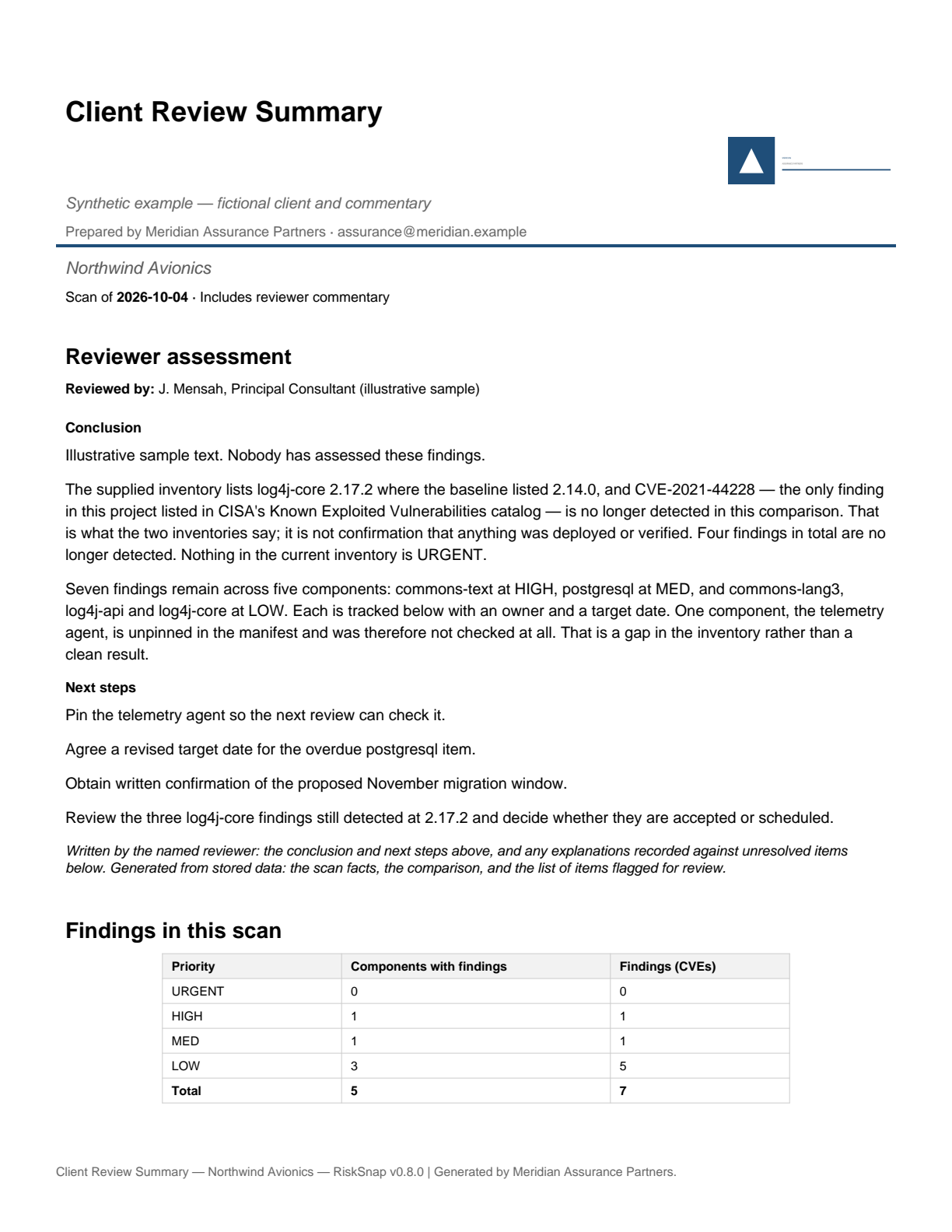
Page 1 — the consultant's assessment, then findings by priority and the note that one component could not be checked. Rendered from the PDF below, not mocked up.
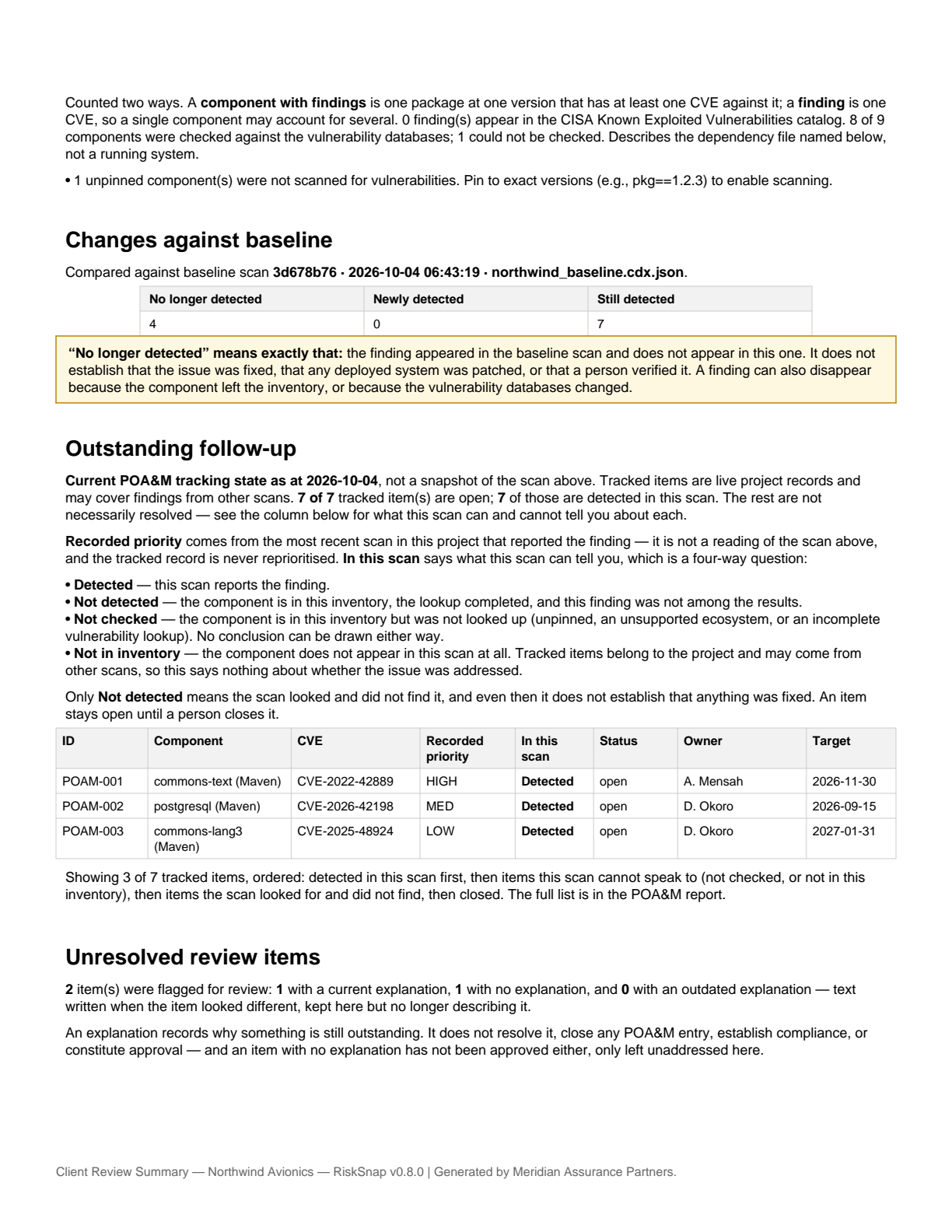
Page 2 — changes against the named baseline, follow-up with owners and dates, and the saved explanation for the overdue item.
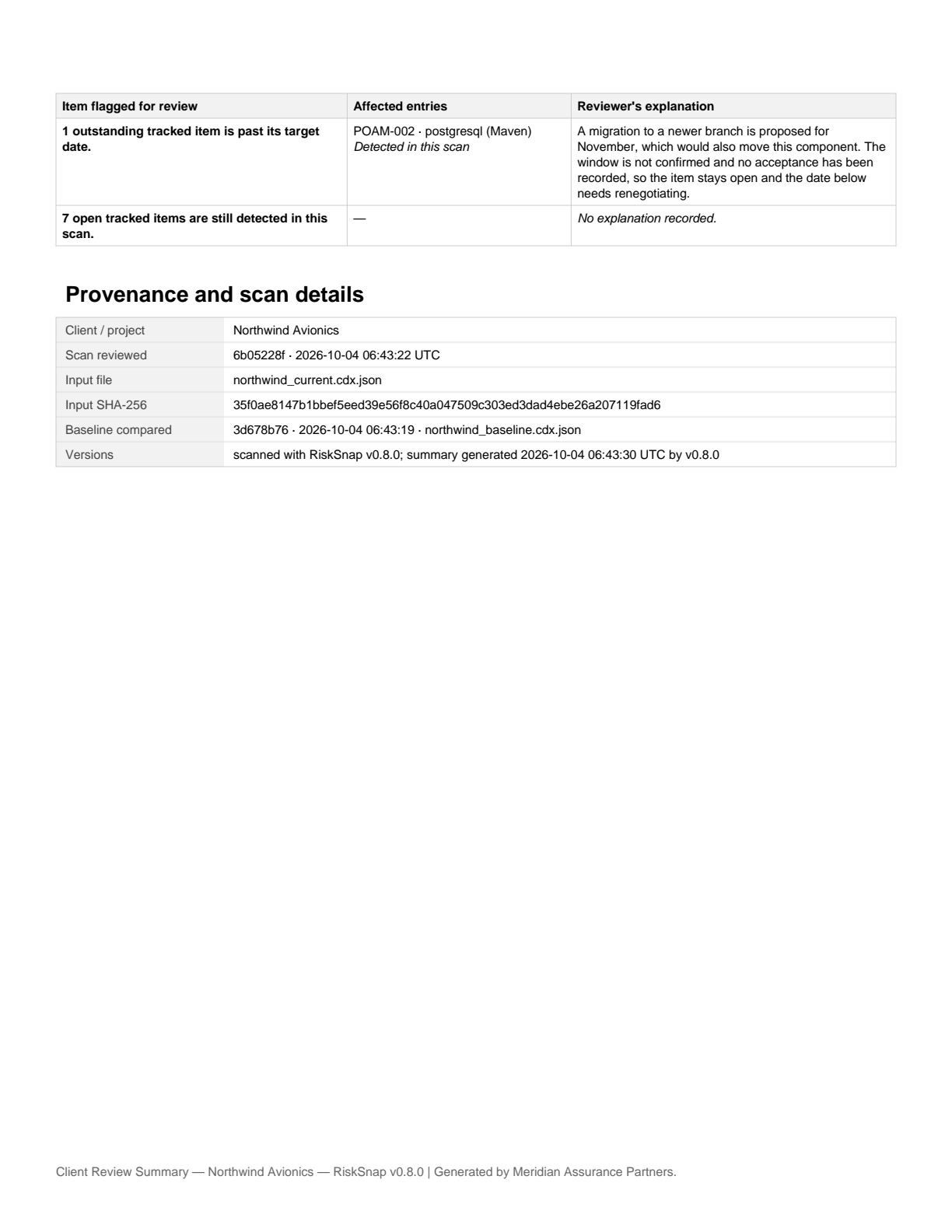
Page 3 — provenance: which scan, which input file, its SHA-256, the baseline compared and the tool version.
The assessment comes first
The document opens with the reviewer's conclusion and next steps, because that is what the client reads first. In the sample, that text reports an observation about two files: the supplied inventory lists log4j-core 2.17.2 where the baseline listed 2.14.0, and CVE-2021-44228 — the only finding in the project listed in CISA's Known Exploited Vulnerabilities catalog — is no longer detected in the comparison. The same paragraph says this is not confirmation that anything was deployed or verified.
RiskSnap does not write conclusions. That text was supplied for this sample; in your own reviews it is yours. A report with no conclusion says so on its first page rather than looking reviewed.
Findings, and what was not checked
The sample reports seven findings across five components. Those are different counts and the report shows both, because a single component can carry several CVEs: one HIGH component with one finding, one MED component with one finding, and three LOW components carrying five findings between them.
It also shows a coverage gap. One component — a telemetry agent — is unpinned in the inventory, so there was nothing to look up. The report states that 8 of 9 components were checked and names the one that was not. An unchecked component is not a clean component.
The component names and CVE identifiers in the sample are real, and the lookups ran against live public data when the sample was produced. That makes the document a realistic demonstration — not a current statement about any of those packages, and not evidence about any real system.
The comparison names its baseline
Four no longer detected, none new, seven still detected — measured against a baseline the report identifies by file name, scan ID and date.
The summary compares the scan you select against the one immediately before it in that project. If you need a different pair, the delta report lets you choose both ends; the summary's baseline is not free-form, which is why the document names the one it used.
“No longer detected” means the finding appeared in the baseline scan and does not appear in this one. It can disappear because the inventory changed, because the component is no longer listed, or because the vulnerability databases changed. The report says all three.
Follow-up has owners, dates and reasons
Seven tracked items, each with a responsible party and a target date. One is past its date, and the sample shows the saved explanation reproduced in the client's copy:
Two items also carry short remediation plans, visible in the POA&M report inside the bundle. Both keep their uncertainty: no target version is named as verified, and the overdue item is described as lapsed rather than quietly extended.
Explanations are counted three ways — current, missing, and outdated, meaning text written when the item looked different. An explanation does not close an item, and an item without one has not been approved.
What you supply, what RiskSnap generates
- The client's dependency inventory
- Your firm's name, logo, contact and accent colour
- Owners, target dates, statuses and remediation plans
- The conclusion and next steps
- Explanations for items that stay open
- Findings, priorities and coverage from OSV and CISA KEV
- The comparison against the preceding scan
- The list of items flagged as needing a decision
- The assembled document and evidence bundle
Branding identifies who prepared a report. It adds no reviewer, approval, certification or sign-off.
What leaves your machine
Supported inputs: CycloneDX JSON, SPDX JSON,
requirements.txt, package-lock.json.
Ecosystems: PyPI, npm, Maven.
- Your uploaded file stays on your machine. It is not transmitted.
- Vulnerability lookups send package names, ecosystems and versions to OSV.
- RiskSnap downloads CISA's KEV catalog. Your dependency inventory is not sent to CISA.
- Optional NVD enrichment, off by default, sends CVE identifiers to NVD.
Scans, review text, follow-up records and your branding are stored in a directory you choose.
What this does not do
- It does not verify deployed remediation. It reads a dependency file, not a running system. A finding that disappears between two scans has not been shown to be patched, deployed or confirmed by anyone.
- It does not establish compliance. The evidence pack contributes to documentation for CMMC practices. It does not satisfy any control by itself, and the assessing organization makes that determination.
- It is not a certification, approval or sign-off, and nothing in it claims an assessor has accepted anything.
- Results are only as current as the public databases behind them, and only as complete as the inventory you were given. A scan that could not reach a source says so, and a comparison built on one is refused rather than reported.
Try it on your own inventory
docker run --rm -p 8501:8501 -v "$PWD:/data" swynnjr/risksnap:0.8.0
Open http://localhost:8501 and upload an inventory. The
directory you mount holds the scan history, follow-up records, review
text and branding, so they are still there next time you start the
container.
Try with sample data on the Scan tab shows a scan result with no network access and no file of your own, using results bundled with the application. It is a look at the findings view and its exports only: that sample is not written to scan history, so it does not produce a baseline comparison or a client review summary.
To reach the document at the top of this page you supply the parts RiskSnap cannot: two scans of the same project so there is something to compare, your branding in Settings, owners and dates on the follow-up items, and the conclusion, next steps and any explanations in your own words.
All features are available during early access, with no licence key — that is the current offer rather than a permanent commitment. No account and no sales call are required to run it. If you want to talk to us, get in touch.